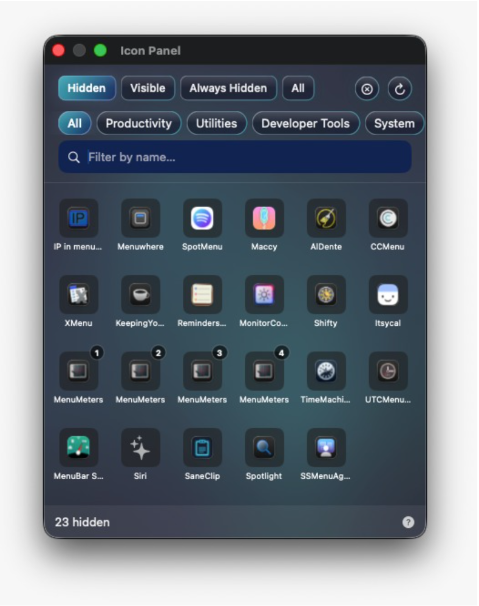
SaneBar is an innovative Mac application designed to give users comprehensive control over their menu bar, enhancing both organization and privacy.
It addresses common clutter and visibility issues by allowing you to hide and reveal menu bar icons effortlessly.
Whether your menu bar is overcrowded, icons are hidden behind the notch, or sensitive apps remain visible all day, SaneBar offers a seamless solution to manage your workspace efficiently.
Key features include intuitive icon hiding and revealing, quick search for menu bar items, and flexible layout options such as a compact icon panel or an additional menu bar.
The tool also supports keyboard navigation, hotkeys, and automatic re-hiding to maintain a clean interface.
For advanced users, the Pro version provides enhanced privacy controls like Touch ID protection for hidden icons, customizable profiles for different workflows, and automation capabilities triggered by app launches or system changes, such as Wi-Fi or battery status.
Designed with privacy at its core, SaneBar operates without tracking or unnecessary cloud features, ensuring your data remains secure on your device.
It also offers easy import options from similar apps like Bartender, allowing for a smooth transition.
SaneBar’s USP lies in its user-centric design, combining simplicity with powerful customization options.
It’s ideal for Mac users seeking a tidy menu bar environment, faster access to essential icons, and advanced controls — all with privacy and automation at the forefront.
With its user-friendly interface and robust features, SaneBar can quickly become an indispensable part of your daily workflow.